

Aug
Peplink Firmware 8.6.0 landed on July 29, 2026, and it is not a cosmetic refresh. There are real throughput gains for anyone running Starlink or 5G, a much simpler way to see whether a site is actually healthy, and a handful of security additions that matter if you sell into government or regulated environments.
Peplink’s official 8.6.0 announcement covers the four highlights. This goes further: what each change actually means for your deployment, and the upgrade steps that are not in the announcement but will bite you if you skip them.
The one-line summary
Single connections finally go as fast as your links allow, network health becomes one number instead of five graphs, and FIPS-validated security stops being a special order.
SpeedFusion Boost: Faster Single Connections, Not Just More of Them
This is the headline feature. Bonding multiple connections has always given you more total capacity, but a single file download or video stream often could not take advantage of it, especially over high-latency links like satellite.
SpeedFusion Boost smooths out latency and jitter so one session can actually reach the speed your links are capable of delivering. It also stops a single unstable connection from dragging the whole bonded group down. If you have watched a Starlink satellite handover, a passing rain cell, or a congested cell tower tank an otherwise healthy multi-WAN setup, this is the fix.

Hardware that benefits most
- MAX Orbit 8, Orbit 4 and Orbit 2 — multi-orbit satellite bonding is exactly the workload Boost was built for
- Transit Duo Pro — fleet and public safety vehicles bonding cellular with satellite
- Dome Pro LR — maritime and vehicle deployments where handovers are constant
- MAX BR1 Pro 5G and BR2 Pro 5GK — remote sites pairing 5G with Starlink
- Balance 310 5G and FusionHub Pro — the office and cloud ends of the same tunnel
Worth knowing: Boost is not switched on automatically for existing SpeedFusion profiles. Peplink left it off by default to protect backward compatibility, so you will need to enable and test it per deployment.
SpeedFusion Score: Network Health as a Single Number
Diagnosing a flaky connection used to mean reading latency graphs, jitter charts and packet loss counters, then drawing your own conclusions. SpeedFusion Score does that math for you and reports one number in InControl.
For MSPs and IT teams running dozens of sites, this is the difference between hunting for problems and being pointed at them. For fleet managers it is a way to tell at a glance which vehicles are having a bad day without needing a networking background.

Supported across B One, Balance, MAX BR, Dome, MediaFast, Orbit, Transit and UBR series. You will need an active InControl 2 subscription to see it.
Satellite Support Grows Up
Two changes here. First, Starlink WAN health checks now use stable public endpoints. Previously a health check could misread a temporary blip as a dead link and fail over unnecessarily — annoying at best, disruptive at worst. Failover decisions are considerably more accurate now.

Second, OneWeb terminals now appear in the InControl WAN dashboard with status and operational metrics, so satellite links sit alongside your cellular and wired WANs instead of being a blind spot. There is also a management-only mode that preserves the OneWeb connection for administrative access if you blow through a data allowance, which means you can still reach the site to troubleshoot.

If you are deploying maritime, offshore or genuinely remote land sites, this pairs naturally with the MAX Orbit series, which was designed around exactly this multi-orbit model.
eSIM Becomes Genuinely Practical
eSIM has been supported for a while, but 8.6.0 makes it something you would actually build a deployment around.
What changed
- Four eSIM profiles per module — carry multiple carriers and switch as coverage changes
- Broader GSMA profile compatibility — more third-party carriers work out of the box
- Bring-your-own eSIM visibility — third-party eSIM details now show in Synergy Mode
- Carrier name display — see which carrier a Peplink eSIM is actually on, not just that it is connected
- Multi-APN support on 5GN cellular devices
For trucking and fleet operators crossing coverage corridors, four profiles per module is the practical win: one device, multiple carriers, no physical SIM swaps. Pair it with a Transit Duo Pro or BR1 Pro 5GK and coverage gaps get a lot easier to manage.
Security Additions for Regulated Buyers
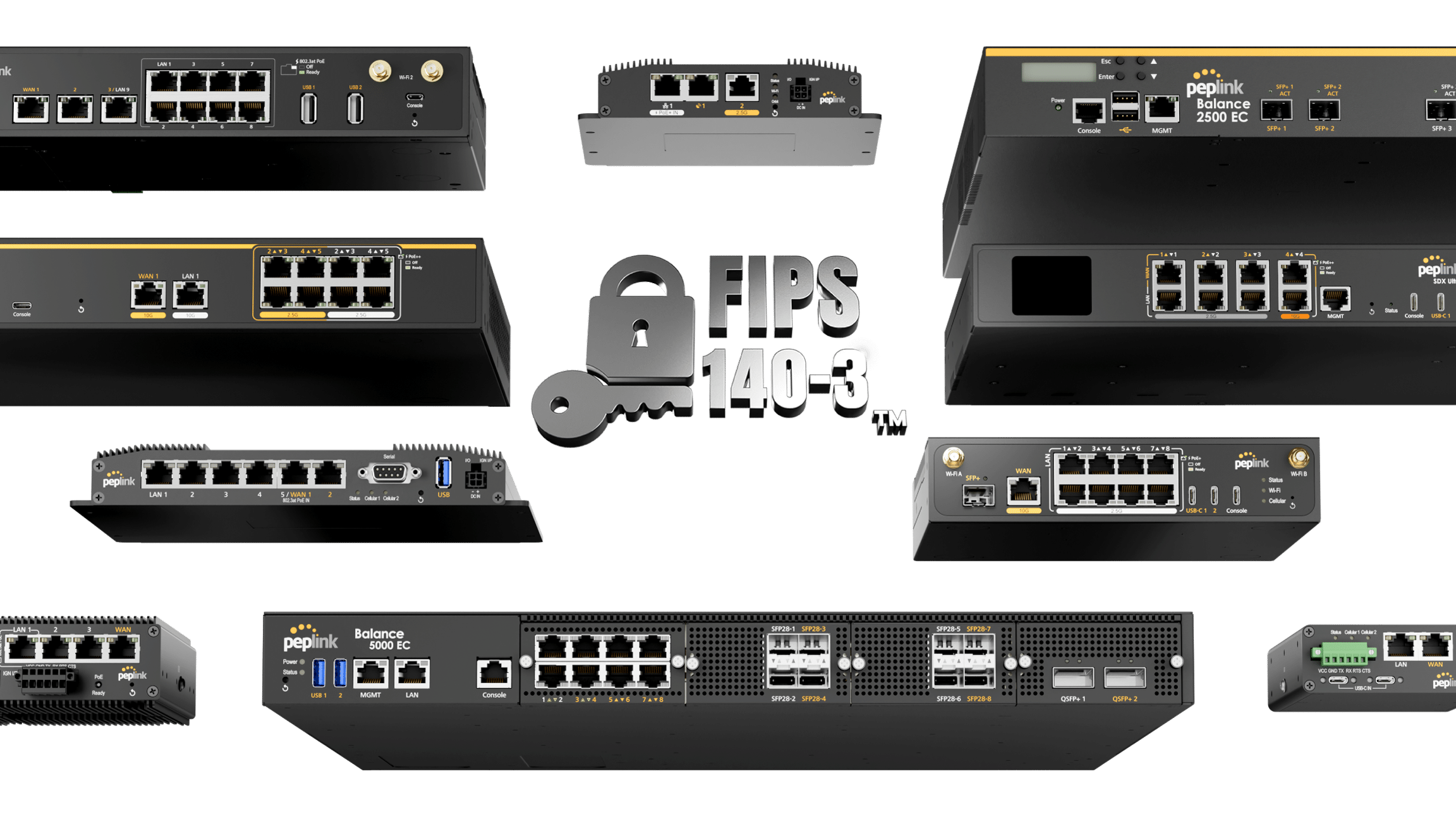
FIPS 140-3 validated mode is now standard on supported devices rather than a conditional extra. If compliance is part of your buying criteria, that changes the conversation. Entry-level hardware is excluded, so confirm your specific model before you commit to it on a bid.
WireGuard is now available for remote user access — a lightweight, widely supported VPN option for staff connecting from laptops and phones. Note that this is for remote users specifically. For site-to-site links, SpeedFusion is still the right tool.
RadSec (RADIUS over TLS) encrypts RADIUS authentication traffic, closing a long-standing gap in enterprise Wi-Fi. And Secure DNS powered by Cloudflare adds DNS-over-HTTPS encryption plus malicious domain blocking on devices with an active care plan — if yours has lapsed, a PrimeCare renewal turns it back on.
Wi-Fi, AP Management and Everything Else
Smaller changes worth knowing
- Enhanced AP Controller — manage 6 GHz settings on connected Wi-Fi 7 access points
- Extended Synergy Mode — AP management from a single controller interface
- Wi-Fi metered networks — tells client devices to cut background data use, useful on capped cellular or satellite
- PPSK name display — clients labelled by their pre-shared key name instead of a MAC address
- Per-WAN bandwidth limiting — cap upload and download per connection
- Jumbo frame support — better efficiency for large file transfers
- GPIO-triggered emergency reset — factory reset via digital input for high-security sites
The metered network and per-WAN limiting features are quietly useful for anyone paying by the gigabyte. RV and marine users especially.
Before You Upgrade to Peplink Firmware 8.6.0, Read This Part
Four things that will bite you
- Staged upgrade required. BR1 Pro, BR2 Pro and all Dome, Transit and B One models must be running 8.5.4 before moving to 8.6.0 — check the Peplink firmware downloads page for your model. Do not jump straight from an older build.
- FIPS sites: IPsec pre-shared keys now require a minimum of 14 characters. Shorter keys need updating first.
- Certificate handling is stricter. Devices revert to default certificates if DSA, short RSA keys or legacy PKCS#12 formats are detected. Check your certs before you pull the trigger.
- Some hardware is now end-of-support, including Balance 30 LTE, older Balance One hardware revisions, legacy MAX HD1, HD2 and HD4 variants, MediaFast 200 and SpeedFusion Engine CAM HW1.
On one of the end-of-support units? Peplink Firmware 8.6.0 is a reasonable prompt to plan a refresh. Get in touch and we will find you the current equivalent rather than a like-for-like replacement you will outgrow.
Which Hardware Gets the Most From Peplink Firmware 8.6.0
| If you are… | Biggest 8.6.0 wins | Hardware to look at |
|---|---|---|
| Running a fleet | Four eSIM profiles per module, SpeedFusion Boost, SpeedFusion Score | Transit Duo Pro, MAX BR1 Pro 5G |
| Managing multiple client sites | SpeedFusion Score, RadSec, Wi-Fi 7 AP control | Balance 310 5G, FusionHub Pro |
| On satellite (Starlink or OneWeb) | Boost, health-check fix, OneWeb dashboard visibility | MAX Orbit 8, Orbit 4, Dome Pro LR |
| In government or public safety | FIPS validated mode, WireGuard, GPIO emergency reset | Balance 310 5G, MAX BR2 Pro 5GK |
| Working remotely or on the road | eSIM flexibility, metered Wi-Fi, WireGuard remote access | BR1 Pro 5GK, MAX Orbit 2 |
Peplink Firmware 8.6.0: The Short Version
If you are on satellite or 5G, SpeedFusion Boost alone justifies the upgrade. If you manage more than a handful of sites, SpeedFusion Score will save you time every week. And if compliance is part of your buying criteria, FIPS validated mode as a standard feature is worth a second look at models you had previously ruled out.
Just do not skip the staged upgrade path, and check whether your hardware made the supported list.
Not sure which router fits your deployment, or whether your current one still has a future? Get in touch with our team and we will point you at the right hardware.
